
Foundation / Brand Settings
Brand Settings: the foundation every analysis reads from
The fields every analysis and every generated draft read from.
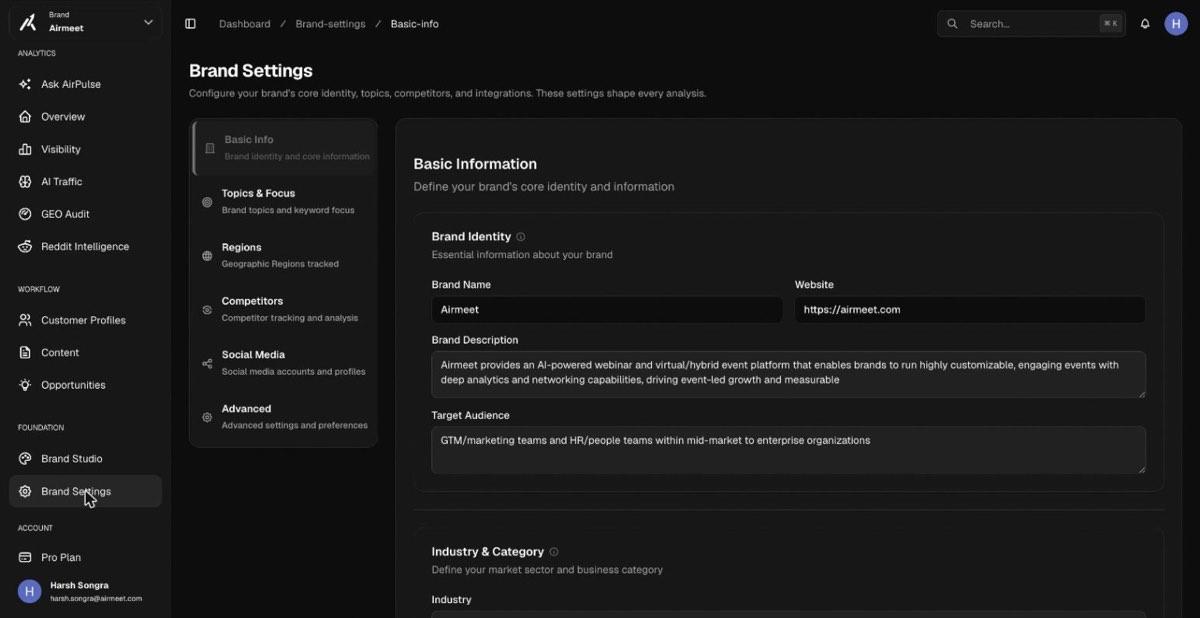
Six sections cover the whole configuration: Basic Info (name, website, description, target audience, industry), Topics & Focus (the themes and keywords your prompts hang off), Regions (which geographies each prompt is executed in), Competitors (who you are benchmarked against), Social Media, and Advanced. Brand Studio and ICP profiles add richer context that the content engine uses when it writes in your voice.
Terms on this screen
- Topic
- A theme (for example “webinar”) that groups prompts. Scores roll up per topic so you can see which themes you win and which you lose.
- Region
- The geography a prompt is executed from. The same question gets different AI answers in the US, India and the UK, so AirPulse tracks them separately.
- ICP profile
- Ideal Customer Profile: a description of who you sell to, used to steer prompt suggestions and generated content.